Your data stays on your machine
Conversations, canvas state and run history are saved to a SQLite file on your own disk. No account and no cloud sync.
./data/geochat-desktop.sqlite
GeoChat puts an AI assistant and GeoGebra in one desktop math tool. Enter a problem and it plans the construction, writes GeoGebra commands into the canvas, and explains the reasoning behind each step.
macOS and WindowsApache-2.0, open sourceYour data stays local
Give Harness a GeoGebra canvas. Your agent uses native tools to construct, read back the scene and inspect screenshots. Drag objects and sliders on that same canvas, without installing GeoChat Desktop or connecting a separate MCP service.
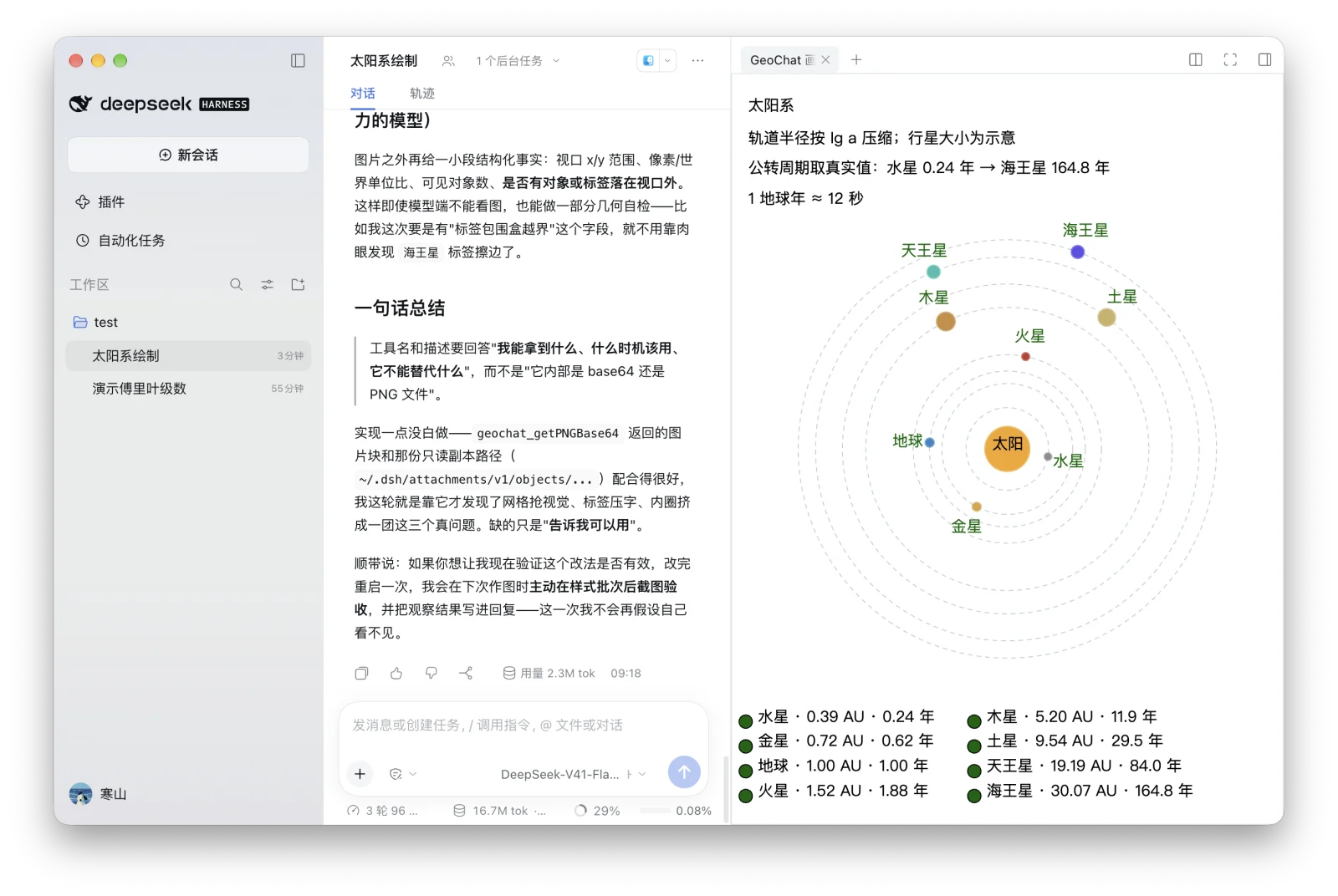
Harness 0.2.0-rc.2 · Node.js 24+ · Web profile (not the Desktop carrier)
dsh plugin --profile web add https://github.com/tiwe0/GeoChat/releases/download/dsh-plugin-v0.1.5/dsh-geochat-plugin-0.1.5.tgzRestart the matching Harness profile after installation, then read the geochat skill. The plugin uses your configured Harness model; no separate plugin key is needed.
Try: Draw an animated solar system on the GeoChat canvas, then capture it to check labels and layout.
Release notes and SHA-256 checksumsEach session has its own in-memory canvas. Refreshing, closing the canvas or restarting loses the construction; save anything you need first. Bundled offline assets do not mean no network: Harness manages the native Remote connection.
Plugin-owned code is Apache-2.0. Bundled GeoGebra assets have non-commercial license restrictions; commercial use or distribution requires separate permission. GeoGebra licensing
These are the features currently supported in the desktop app.
Conversations, canvas state and run history are saved to a SQLite file on your own disk. No account and no cloud sync.
./data/geochat-desktop.sqlite
Add your model provider's API key in settings. Requests go directly from your machine to that provider, without passing through GeoChat.
OpenAI · Anthropic · Google · DeepSeek · Alibaba · OpenRouter
GeoChat writes real commands into the embedded GeoGebra canvas. The resulting figure can be dragged, measured, and edited further.
O = Intersect(m_1, m_2)
The GeoGebra runtime ships inside the app. Plane geometry, coordinate geometry, function graphs and solid geometry all use the same workspace.
The construction plan, tool calls and reasoning are shown in order so you can check them one by one.
Import a local problem bank to work through sets in bulk, and export any canvas as a .ggb file that a student or colleague can open in their own GeoGebra.
*.ggb
Read, plan, write commands, explain. The desktop app handles all four stages; only model inference needs the network.
Given triangle ABC, construct its circumcircle.
A = (-3, -1)B = (3, -1)C = (1, 3)m_1 = PerpendicularBisector(A, B)m_2 = PerpendicularBisector(B, C)O = Intersect(m_1, m_2)k = Circle(O, A)SetCaption(O, "Circumcenter")Identify the given conditions, constraints and goal.
Choose the construction order and the geometric objects needed at each step.
Convert the construction plan into GeoGebra commands and write them into the canvas one by one.
Explain why these objects produce the requested result.
From typed problem to finished figure, shown at real speed.
The canvas is the main view. The chat panel can be collapsed or moved, and model settings live in the app's local settings page.
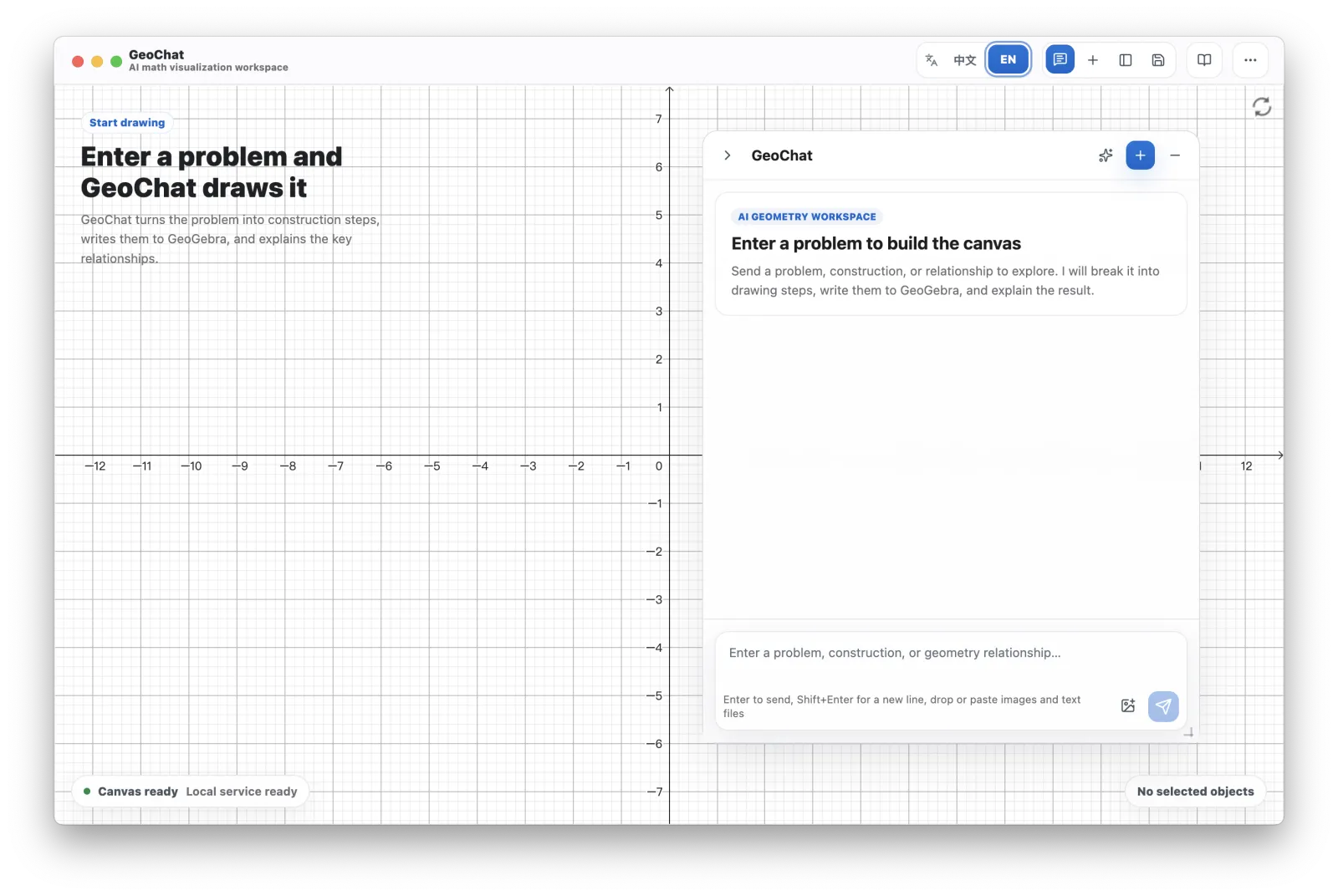
Open source, free, no sign-up. All you need to bring is an API key from a model provider.